AI-powered embroidery digitizing

Convert Any Image
to DST, PES & More

The fastest way to turn an image into a machine-ready stitch file. Upload a photo or generate a design with AI — export DST, PES, JEF, VP3, or EXP for any embroidery machine.

No software to install DST, PES, JEF, VP3 & EXP Free to use

Drag & Drop your image here or browse

OR
FEATURES

Everything you need to digitize embroidery

Built for stitch houses, embroidery shops, and independent digitizers who need professional results fast — no desktop software required.

Image to Embroidery Conversion

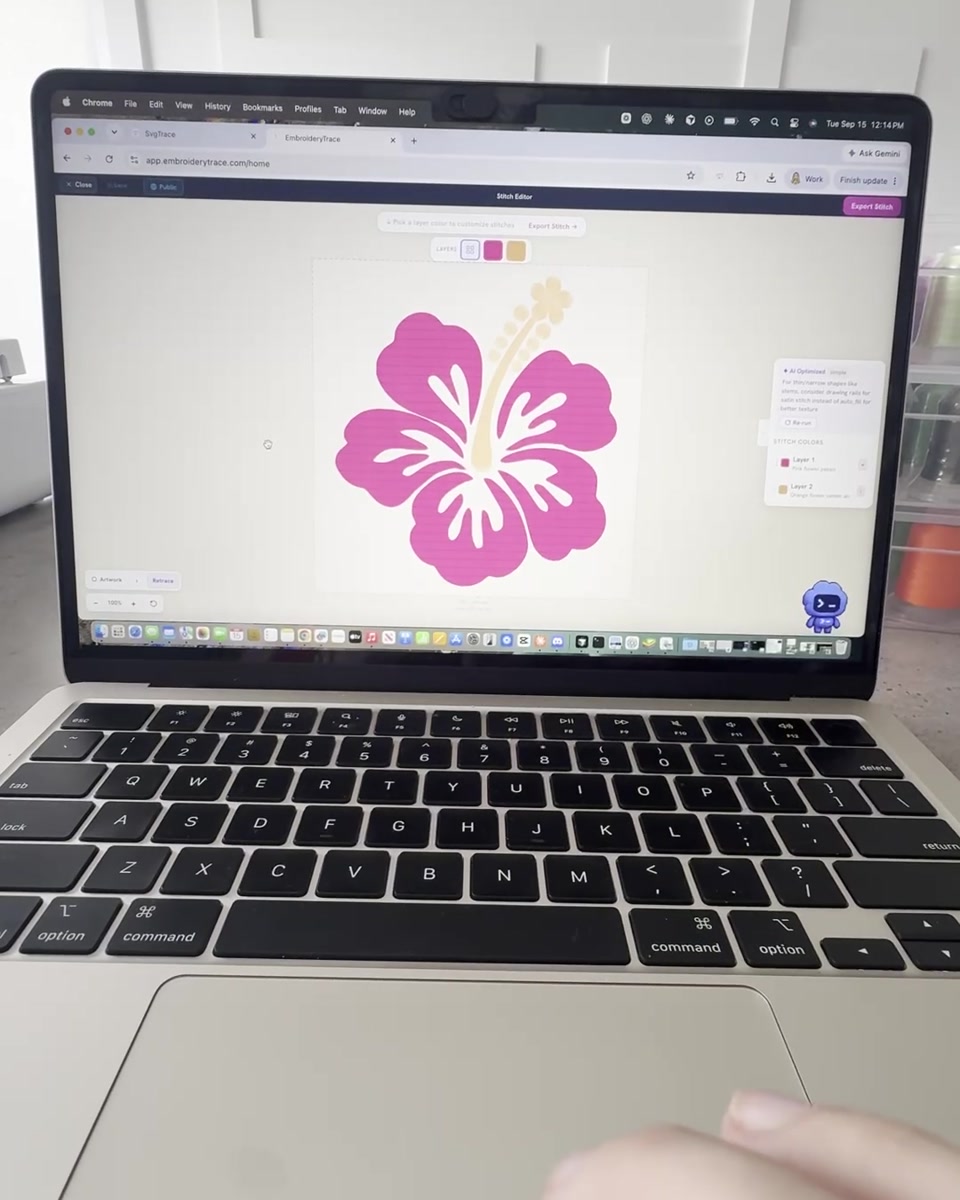
Convert PNG, JPG, and SVG files into embroidery-ready stitch data. The vectorizer isolates paths by color, making layer-by-layer stitch assignment quick and accurate.

AI Embroidery Design Generator

Describe your design in plain language and our AI generates artwork optimized for embroidery — clean outlines, flat fill areas, and minimal thread-change complexity.

Built-in Stitch Editor

Assign stitch types to each layer, erase paths with a pen or line cut tool, adjust density, and preview the result — all inside the browser. No desktop software needed.

Fill, Satin & Running Stitch

Choose the right stitch type for every region. Fill stitch for solid areas, satin stitch for narrow shapes and borders, and running stitch for outlines and details.

Auto Satin Stitch

Automatically converts curved and complex shapes into smooth satin columns — saving hours of manual digitizing for borders, lettering, and organic design elements.

DST, PES, JEF, VP3 & EXP Export

Export stitch files in DST (Tajima), PES (Brother), JEF (Janome), VP3 (Pfaff), or EXP (Melco) — ready to send directly to any embroidery machine or stitching partner.

IMAGE TO DST

Convert images to DST files online — free

DST (Tajima) is the most widely accepted embroidery format in the industry. EmbroideryTrace converts any PNG, JPG, or SVG into a DST file that works on Tajima, Barudan, SWF, Melco, and most other commercial machines.

  • Upload your image — logo, artwork, or photo
  • Edit stitch types per color layer
  • Export a clean, machine-ready DST file
Convert image to DST →
Also exports: PES · JEF · VP3 · EXP
IMAGE TO PES

Convert images to PES files for Brother machines

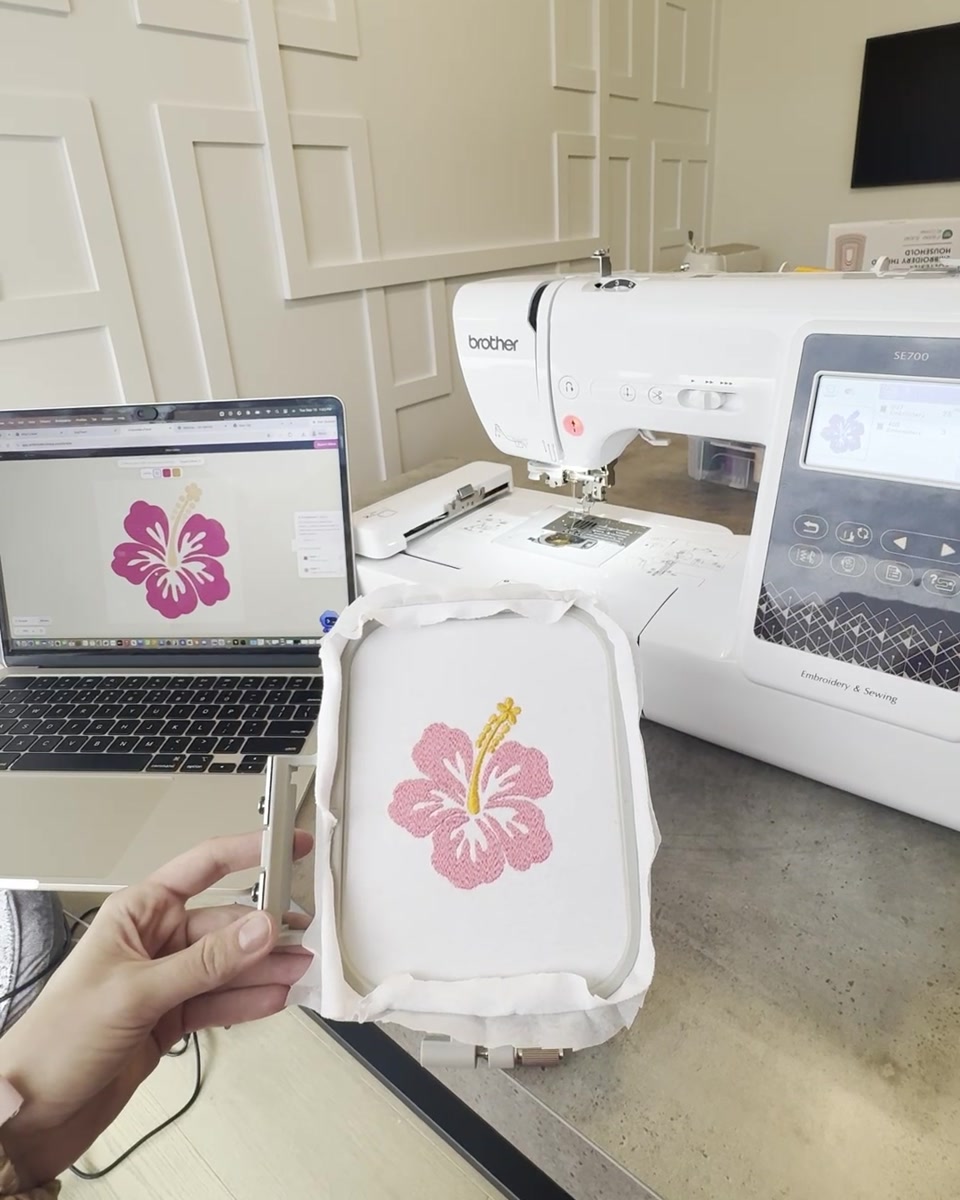
PES is the native format for Brother and Babylock embroidery machines. Whether you have a home machine or a commercial setup, EmbroideryTrace outputs PES files that load directly with no conversion steps.

  • Compatible with Brother and Babylock machines
  • Accurate color mapping from your original image
  • Download PES in one click after editing
Convert image to PES →
FILE FORMATS

5 industry-standard formats, machine-ready every time

Export to whichever format your machine requires — DST, PES, JEF, VP3, or EXP — covering virtually every commercial and home embroidery machine on the market.

DST Tajima — industry standard for commercial machines
PES Brother & Babylock — home and commercial machines
JEF Janome — all Janome machine models
VP3 Pfaff & Husqvarna Viking machines
EXP Melco — commercial multi-head machines
PRICING

Simple, honest pricing

Use it free for as long as you want. Only pay when you're ready to download your stitch file.

Monthly Yearly Save 40%

EmbroideryTrace Free

For anyone wanting to create embroidery files from existing images. No digitizing experience required, and it's free forever.

  • Unlimited uploads & AI generations
  • Full stitch editor access
  • Fill, satin & running stitch
  • Auto satin stitch
  • Design preview
Get started free
FAQ

Common questions

How do I convert an image to a DST file?
Upload your PNG, JPG, or SVG to EmbroideryTrace. The software vectorizes your image by color, letting you assign stitch types (fill, satin, running) to each layer in the built-in stitch editor. When you're ready, export as a DST file — machine-ready for Tajima, Barudan, SWF, Melco, and most commercial embroidery machines.
How do I convert an image to a PES file?
The process is identical to DST — upload your image, edit your stitch layers, then choose PES as your export format. PES files are natively compatible with Brother and Babylock embroidery machines, both home and commercial models.
What image formats can I upload?
EmbroideryTrace accepts PNG, JPG, JPEG, and SVG files. For best image-to-DST or image-to-PES results, use images with clear outlines and flat colors — designs that lend themselves to clean stitch regions.
Is there a free image to DST converter?
Yes — EmbroideryTrace is completely free to use with no time limit. You can upload images, generate AI designs, and edit stitches for free. A paid plan is only required when you want to download the final DST or PES file.
Do I need to install any software to convert images to DST or PES?
No. EmbroideryTrace runs entirely in your browser — Chrome, Safari, Edge, or Firefox on Mac or Windows. No download or installation required.
What is auto satin stitch?
Auto satin stitch automatically converts curved shapes into smooth satin columns, saving hours of manual digitizing for borders, lettering, and organic outlines in your DST or PES file.

Start digitizing embroidery today

Free to use. No software to install. Your first DST file is one upload away.

Start for Free

No credit card required  ·  Upgrade only when you export